Free · BYOK
$0
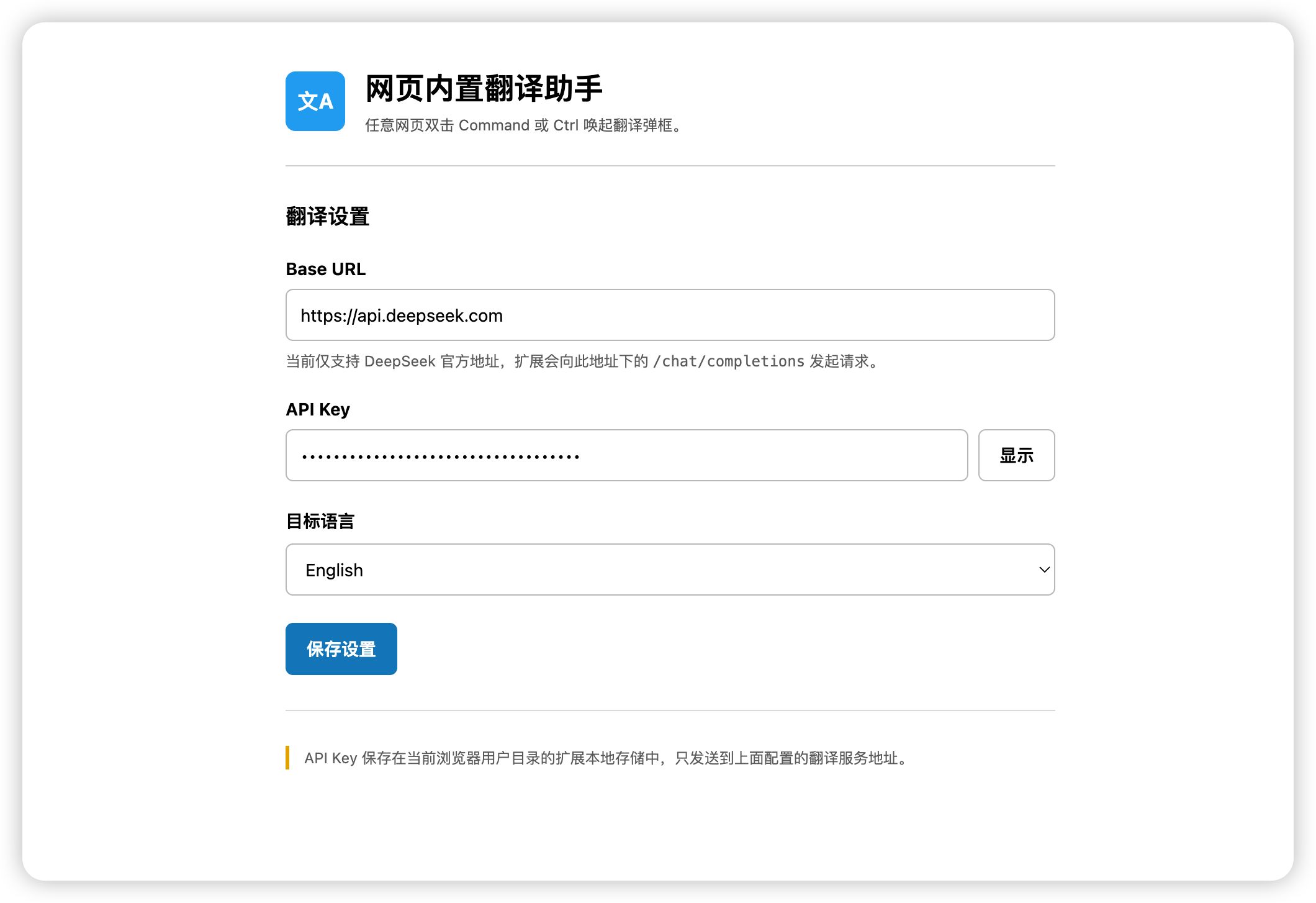
Bring your own DeepSeek API key and pay DeepSeek directly for your usage.
- Same popup translation workflow
- Your key stays in browser extension storage
- Requests go directly to DeepSeek
 网页内置翻译助手
Browser extension · 浏览器扩展
Double-tap Command or Ctrl on any webpage to summon a translation popup. Type or paste text to translate it instantly.
在任意网页连续敲击两次 Command 或 Ctrl 唤起翻译弹框,输入或粘贴文本即可完成翻译。
Free BYOK mode remains available. Taxes may be added at checkout. Payments are processed by Creem as Merchant of Record.
The actual product
The extension listens for a double press of Command or Ctrl on any webpage and opens a translation popup near your cursor. Type or paste any text into the popup and translate it with one click.
Clear pricing
The browser extension itself remains usable without a paid membership.
Free · BYOK
Bring your own DeepSeek API key and pay DeepSeek directly for your usage.
Annual membership
Use the managed translation service without configuring a personal DeepSeek API key.
Subscription management, invoices, cancellation, and payment-method updates are available through the Creem Customer Portal linked in your receipt email. Refund requests are reviewed according to applicable law, Creem Buyer Terms, and our Terms of Service.
Getting started
Independent product
This is an independently developed browser extension operated by Zhao Yue in Hangzhou, Zhejiang, China, under the 污斑兔 (DirtyRabbit) brand. It is not affiliated with, endorsed by, or sponsored by DeepSeek or their affiliates. DeepSeek and related marks belong to their respective owners.